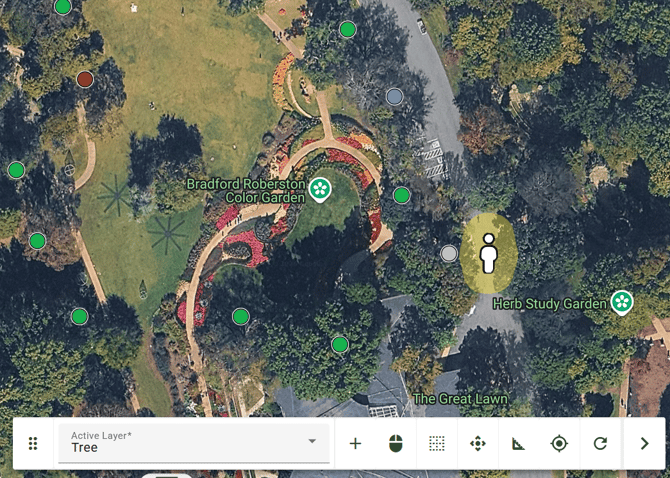
Step 1.) Click on the GPS button
Click on the GPS button represented by the compass icon in your Map Tools Bar.
Your location will be marked real-time on the map with a person icon.
Click on the GPS button represented by the compass icon in your Map Tools Bar.
Your location will be marked real-time on the map with a person icon.

Step 2.) Toggle on or off
The GPS button can be toggled on and off.
A dot will appear in the button to indicate that it is active, and it will disappear when toggled off.
ArborPro Tip: GPS accuracy depends on your device and your surrounding environment. Signal accuracy may be impacted when indoors or beneath dense tree canopy.