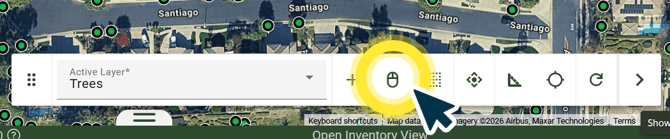
Step 1.) Activate the Single Selection Tool.
Click on the Single Selection button represented by the mouse icon in your Map Tools Bar.
ArborPro Tip: Your Active Layer from the Map Tools Bar will indicate what Data Points are being interacted with.
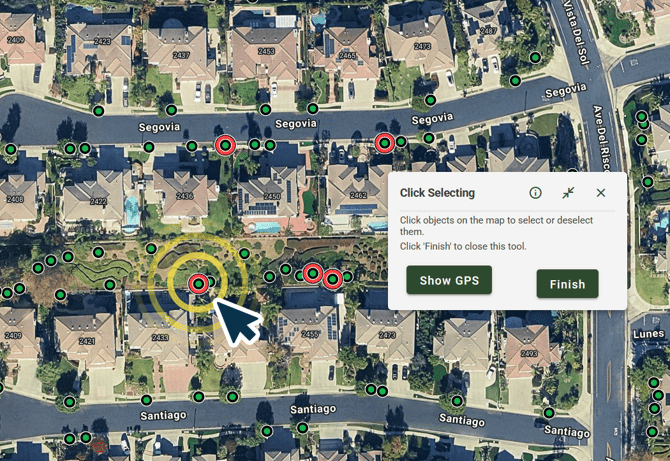
Step 2.) Select an Object: Click the Data Point, Line, or Polygon you’d like to select.
A red highlight will surround the point to show it is actively selected. You can deselect a Data Point by clicking it again.
Arborist Tip: You can select multiple Data Points while the Select Object Tool is enabled.
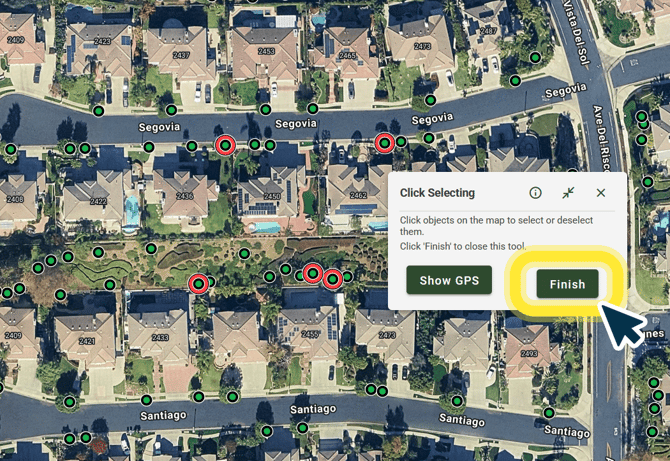
Step 3.) Finish: Click Finish from the Click Selecting Dialogue Box
Arborist Tip: To deselect all active selections on your map, click the “Reset Highlights and Rulers” button in your Map Tools Bar.