
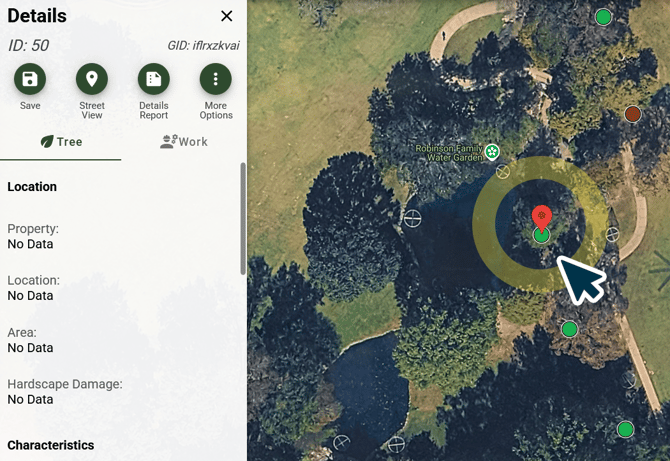
Step 1.) Select a Point:
Click on the Data Point you wish to Delete.
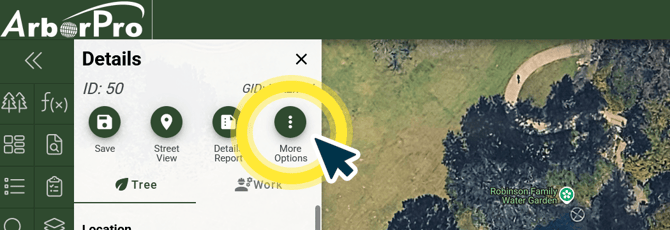
Step 2.) More Options:
Click More Options, represented by the Three Dots Icon from the Details Pane.
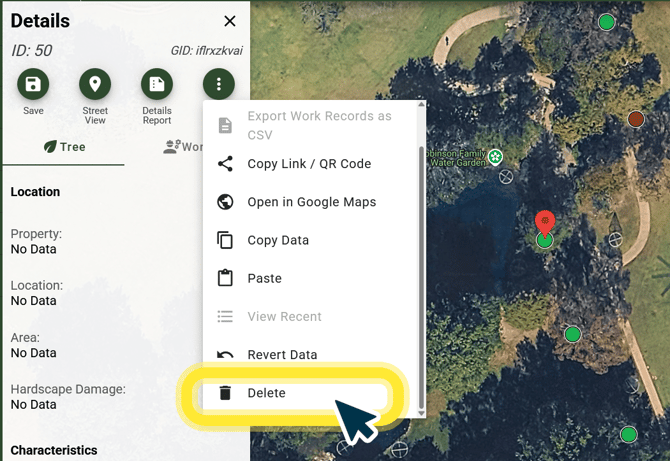
Step 3.) Delete:
Scroll down the More Options menu and click Delete.
ArborPro Tip: Fields highlighted in red are required to fill before saving.
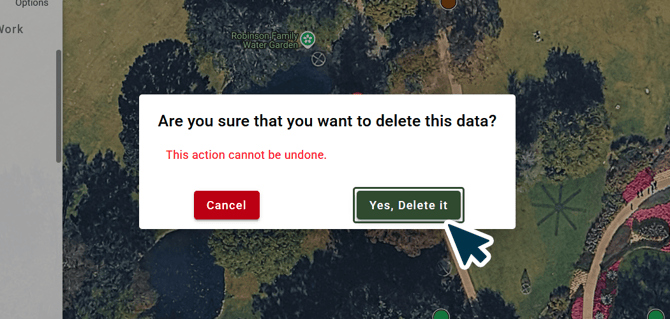
Step 4.) Confirm
Select “Yes, Delete it” to confirm.
Arborist Tip: Please remember that if you do make an error and need your data recovered, please reach out to Help@AborProUSA.com ASAP with the number of points, the user, the date, and time the points were deleted.